


Here is a collection of 3 cool methods to illustrate a realistic CD. Be sure to read all the 3 different methods to have a better understanding of the different advance tricks to imitate the cone gradient reflection on a CD.
Method 1: Blending multi-colour line strokes
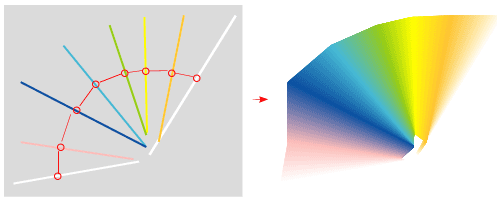
Nick La shows how he illustrates the CD by blending multi-colour line strokes to create the rainbow reflection. He later mask it to the CD shape and set it to Multiply blending mode to blend the reflection.
Read Tutorial: iTune Icon
Method 2: Circular masking on a linear gradient
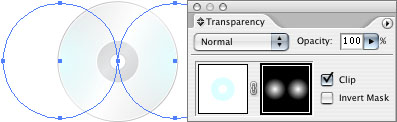
Turbo Milk shows us his first method of taking two circles, cut one of them from the center of another and apply the cone gradient to the CD to stimualte the cone gradient. Sounds complex? You really need to read the full tutorial to see the whole picture.
Read Tutorial: Cone Gradient in Adobe Illustrator. Episode One: A False Trail
Method 3: Applying an arc to a gradient
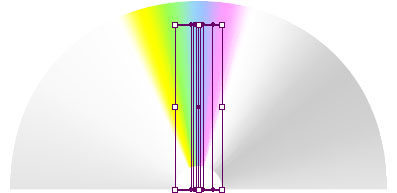
This is the second method by Turbo Milk. By creating a linear gradient block and expanding it, we now can now apply an arc effect to make it circular. Interesting..
Read Tutorial: Cone Gradient in Adobe Illustrator. Episode Two: The Truth Is Out There
Advanced technique, i like 🙂